Banking that never makes you wonder where your money went.
NEXA Bank is a mobile banking app I designed end to end for a client in Türkiye, from research and information architecture to high-fidelity UI and its design system.
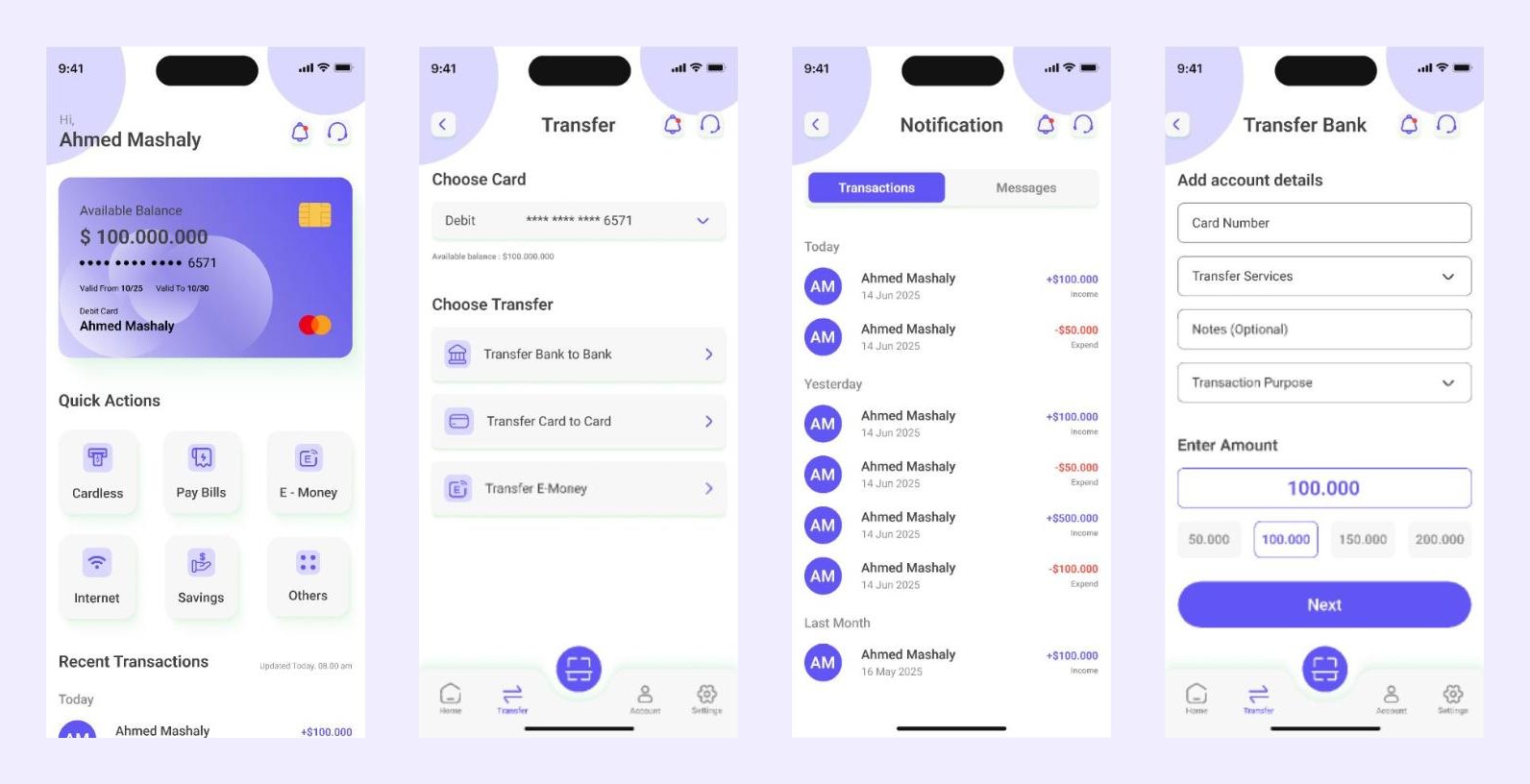
A banking app asks for the most trust at the two moments people feel least sure: signing up, and sending money.
Proto-personas, user interviews, market and competitor review, an open card sort, information architecture, task flows, wireframes, UI, usability feedback and the design system.
20 core flows, one primary action for every money movement, and a review step before anything is sent.
Five rules for every screen
Easy-to-follow flows for daily banking tasks.
Fewer steps and less time for each transaction.
Clear confirmations and secure interactions.
Unified components and predictable behaviour.
A structure that can take new features.
Who it's for, and what that changed
The audience: tech-savvy young professionals, small business owners and freelancers, and people who rely on mobile banking for daily transactions in Türkiye. I started from two proto-personas, assumption-based profiles of the people I expected to design for, then interviewed users and reviewed the market and competitors to test them, and mapped an empathy map, user journeys and problem statements. Each proto-persona below ends in the design decisions it led to.
The efficient professional
Wants to manage money fast and feel the app is secure. Frustrated by long onboarding, unclear transfer confirmations and manual logins.
So I designed: quick actions for one-tap transfers, biometric login, and an account switcher for multiple accounts.
The busy household manager
Pays bills and watches balances, finds complex apps overwhelming and worries about sending money to the wrong place.
So I designed: simpler navigation, a review screen before every transfer, and only the alerts that matter.
Card sorting shaped the navigation
I ran an open card sort with users to validate the information architecture. It grouped the app into four areas, and the key outcome was simpler navigation with every kind of transfer grouped under one primary action.
Accounts
- Balance
- Statements
- Linked accounts
- Switch account
Transfers & payments
- Bank transfer
- Card transfer
- QR payments
- Bill payments
- Transfer history
Cards
- Debit card
- Card settings
- Freeze card
- Limits
Profile & settings
- Personal info
- Security
- Notifications
- Support
- Saved cards
Designing the unhappy paths
Money flows fail in predictable ways. I mapped them before drawing screens, so errors have a designed answer instead of a generic alert.
The 20 core flows cover onboarding, biometric sign-in, account setup, adding a card, transfers, QR payments, notifications and card management.
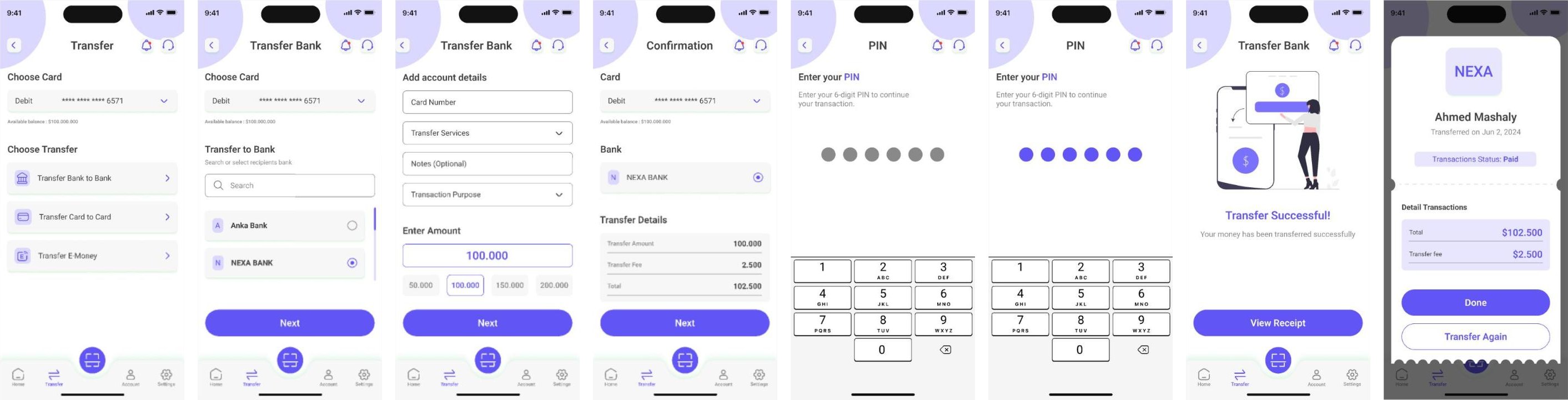
A calm, minimal system for a high-trust product
From low-fidelity wireframes to high-fidelity UI, everything runs on one small system: Roboto for type, one strong primary colour for actions, and clear semantic colours for success, warning and error.
#635DFF#EEE9FF#F4F4F7#1A1A1A#2A9D8F#EABF4B#F25F5C#C7C7CD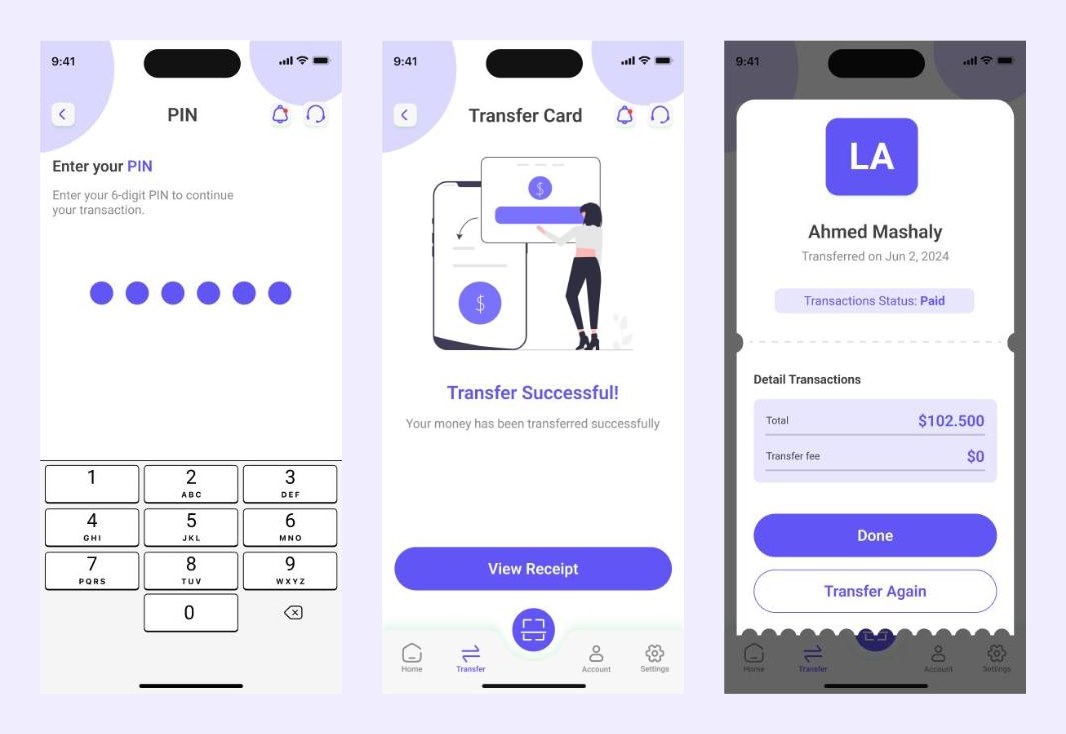
What I'd push further
What is done: the research with real users (interviews and an open card sort), the information architecture, the 20 flows, the UI and the design system. What is not yet done: testing the finished flows with users at scale. The next step is validating the transfer flow: task success and time on task for a first transfer, and how often people back out at the review step.