From a legacy system to a product people can rely on all day.
I took over New Power, an outdated ERP for an electronic-components distributor, and led its redesign end to end: a new design system, features it never had, and Korombo, an AI assistant that's now live.
An old, website-style ERP with a poor experience. Dense data, inconsistent screens, and a build that kept drifting from the design.
Redesigned the product, built a design system engineering builds from, designed new capabilities, and designed its AI assistant.
Live, with ~250 daily users. One design system, a Live Reference of all 160+ live screens, and Korombo answering questions inside the product.
An ERP with ~250 daily users
New Power is the internal system of an electronic-components distributor. Sales, purchasing, operations, quality and finance all work in it: quotes, sales and purchase orders across 12 order types, parts, stock, companies, reports and commissions.
When I took it over, it looked and behaved like a very old website. Screens were built one at a time, the same action looked different from module to module, and there was no place to see your own numbers at a glance. The job wasn't a reskin. It was turning a set of pages into a product.
What I owned, and who I worked with
I'm the lead product designer on New Power. I work with a junior designer and directly with product and engineering, and I do most of the hands-on design myself. Beyond screens, my job is deciding what to fix first, getting agreement on it, and making sure what ships matches what was decided.
Set the priorities
A UX audit of the live product, turned into a P0 to P2 roadmap that puts data-safety and accessibility risks first.
Make decisions visible
Proposals become decision cards with a status: proposed, approved, rejected or live, and the reason behind it.
Own the system engineering builds from
The design system and a Live Reference of every live screen, so design and development argue about decisions, not about which file is right.
Close the loop on what ships
Design QA module by module. Every design-vs-build gap ends in an explicit call: follow the design or keep the build.
Capabilities the product never had
Beyond redesigning what existed, I designed features from zero, each giving a team something the product had never offered.
Dashboards
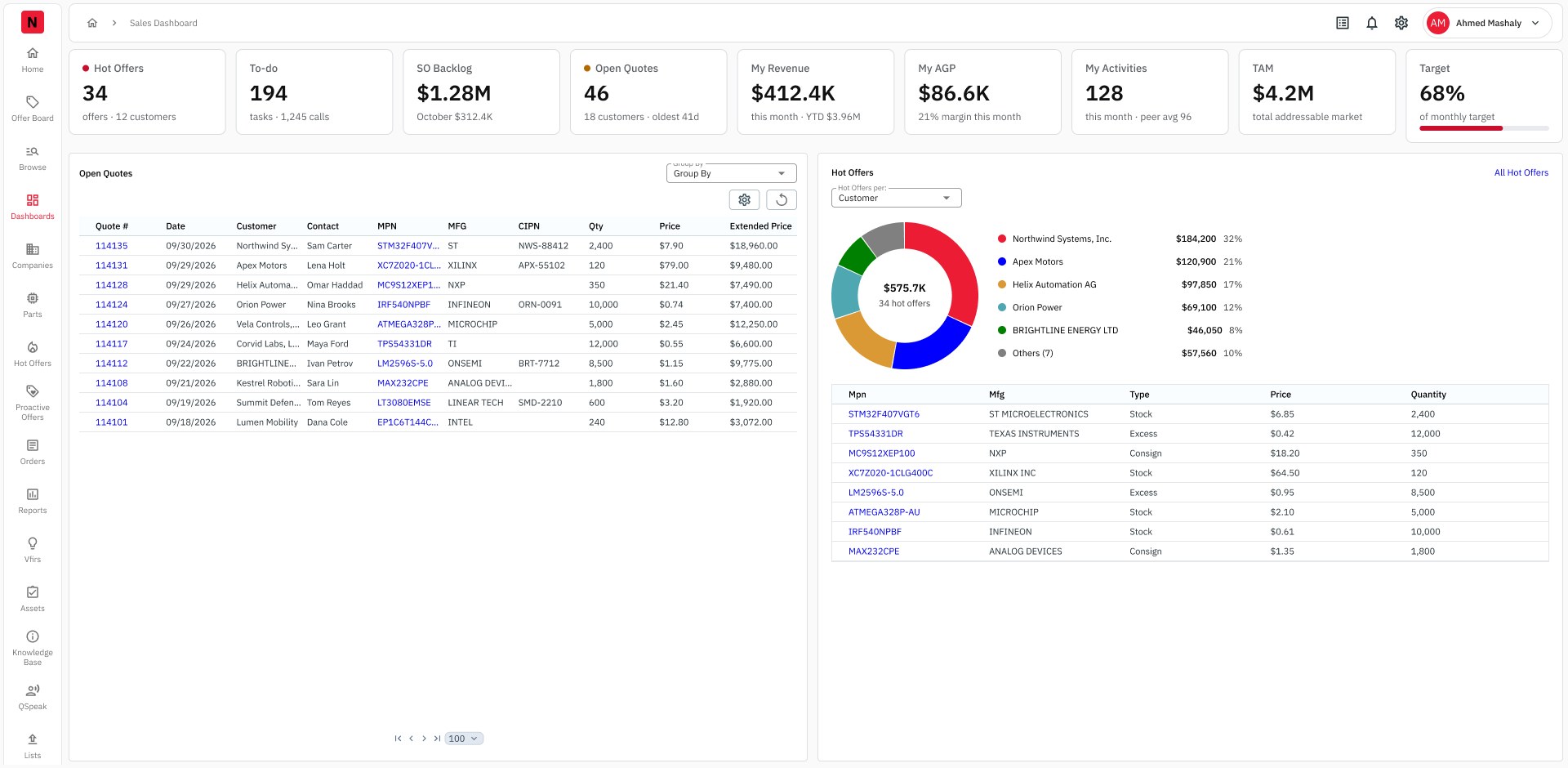
The first Sales and Purchase dashboards: hot offers, to-dos, backlog, open quotes, revenue and activity at a glance, each tile opening its own panel.
Korombo
An AI assistant inside the ERP for business questions and help using the system. Live.
Print template designer
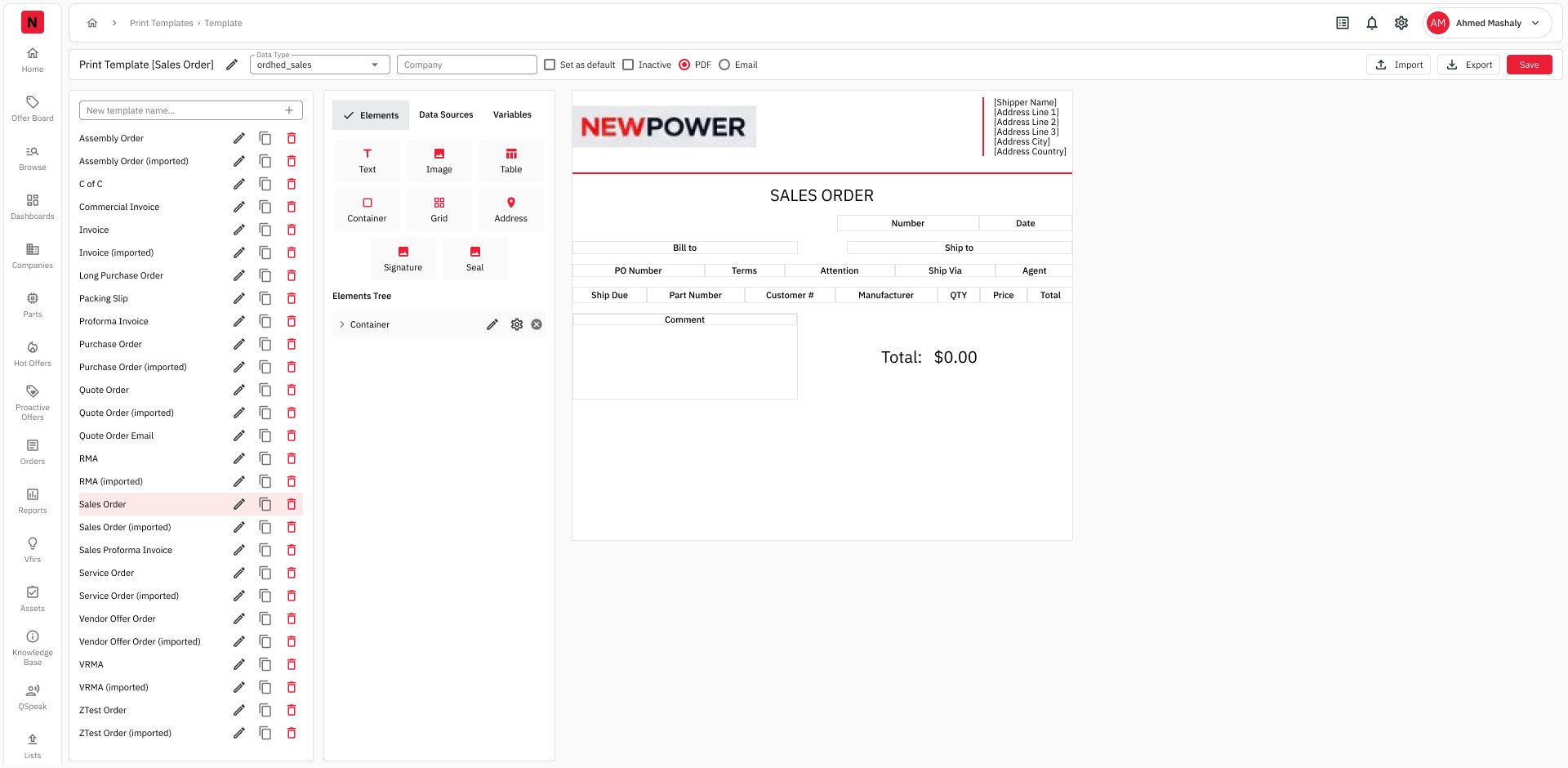
A layout editor for printed forms (invoices, packing slips, purchase orders) with elements, data sources and variables.
Peer Groups
Group sellers to compare activity and set targets, so a rep's numbers have context.
Region–Country mapping
Assign countries to Americas, APAC and EMEA in one screen instead of scattered settings.
And more
Proper 403 and 404 error pages, and many smaller tools across the product.
Ask the ERP, don't dig through it
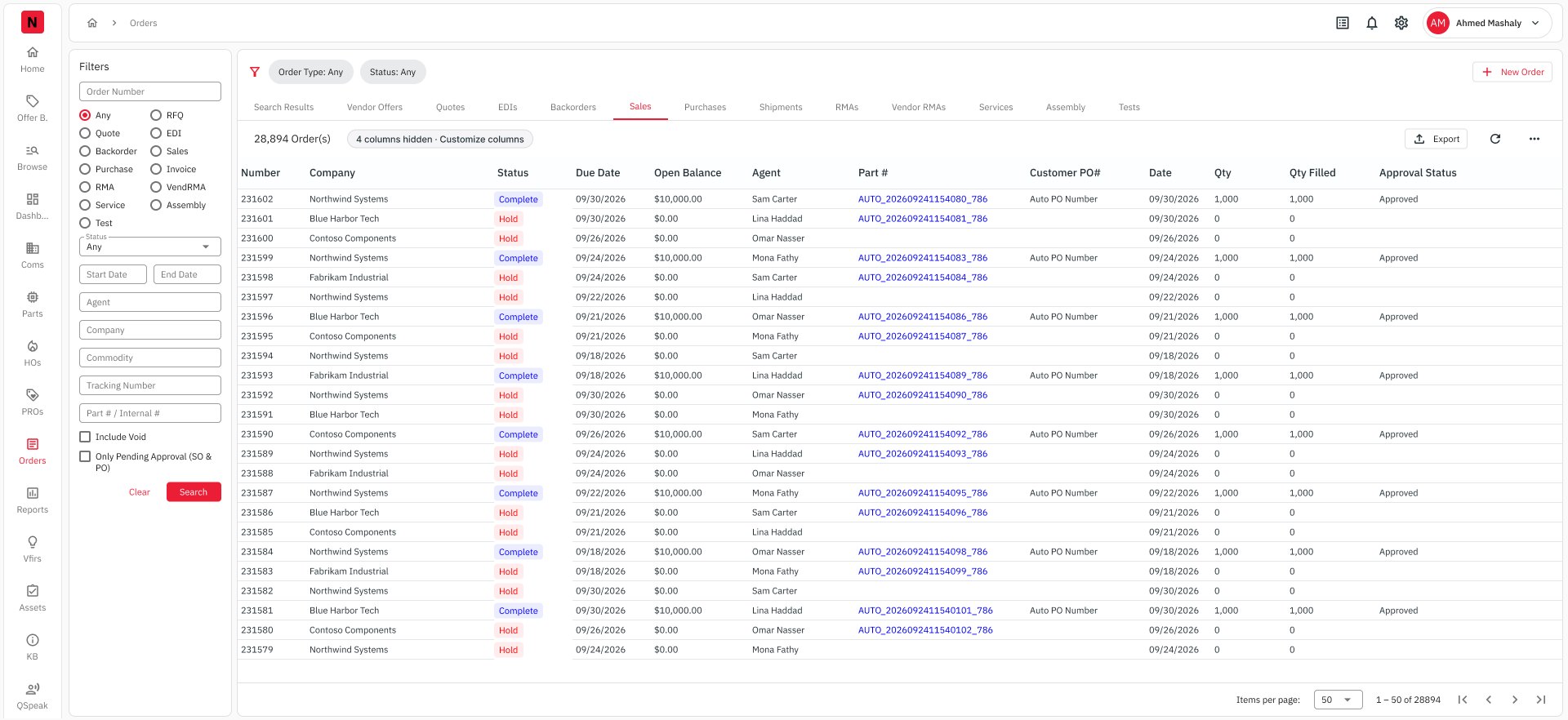
To answer "which open orders for this customer are waiting for approval?", a rep had to open Orders, pick the right tab, fill several filters, search, sort, and add up totals by hand. Korombo turns that into a question, and the follow-up into another one.
Answers you can act on
Data comes back as a table with the same columns people already know from the app, not a paragraph to decode.
Follow-ups keep context
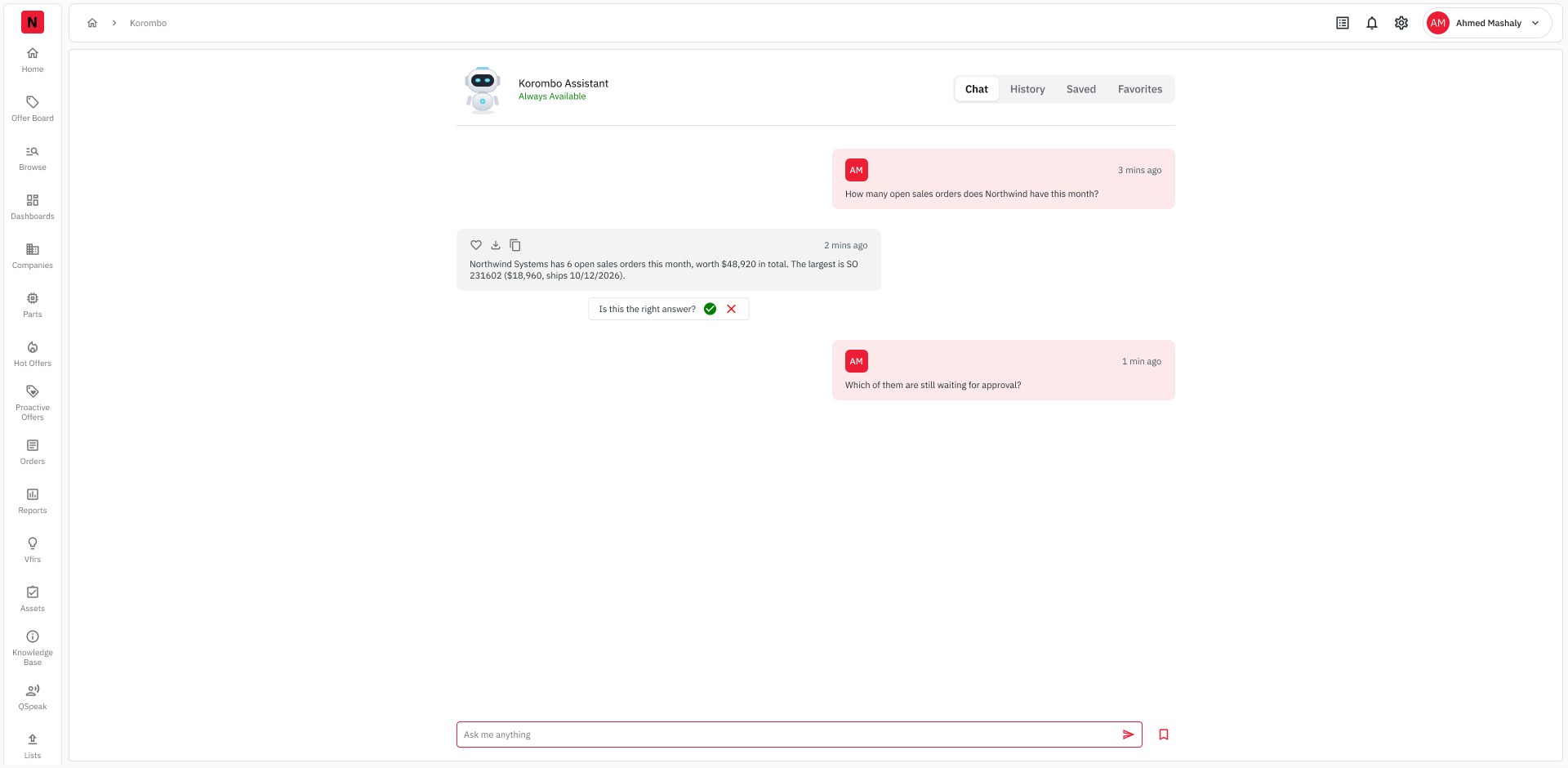
"Which of them are still waiting for approval?" works because Korombo remembers the first question.
Two jobs, one box
The same input answers business questions ("my open quotes") and how-to questions ("how do I create a sales order line?").
Built for being wrong
Every answer ends with "Is this the right answer?" ✓ / ✗, feeding a Feedback view for the team. History, Saves and Favorites keep good answers reusable.
Korombo page in the ERP
- Plain-language questions about orders, parts, stock and quotes, or how to use the system
- Answers as tables, and follow-ups that keep context
- "Is this the right answer?" on every answer, collected in Feedback
- History, Saves and Favorites
A launcher on every page
- Fixed bottom-right, 24 px from the edges, on every screen
- Opens Korombo over the current page, so people ask without leaving their work
- Same answers, ratings and history as the Korombo page
- Designed as a library component, so it ships the same everywhere
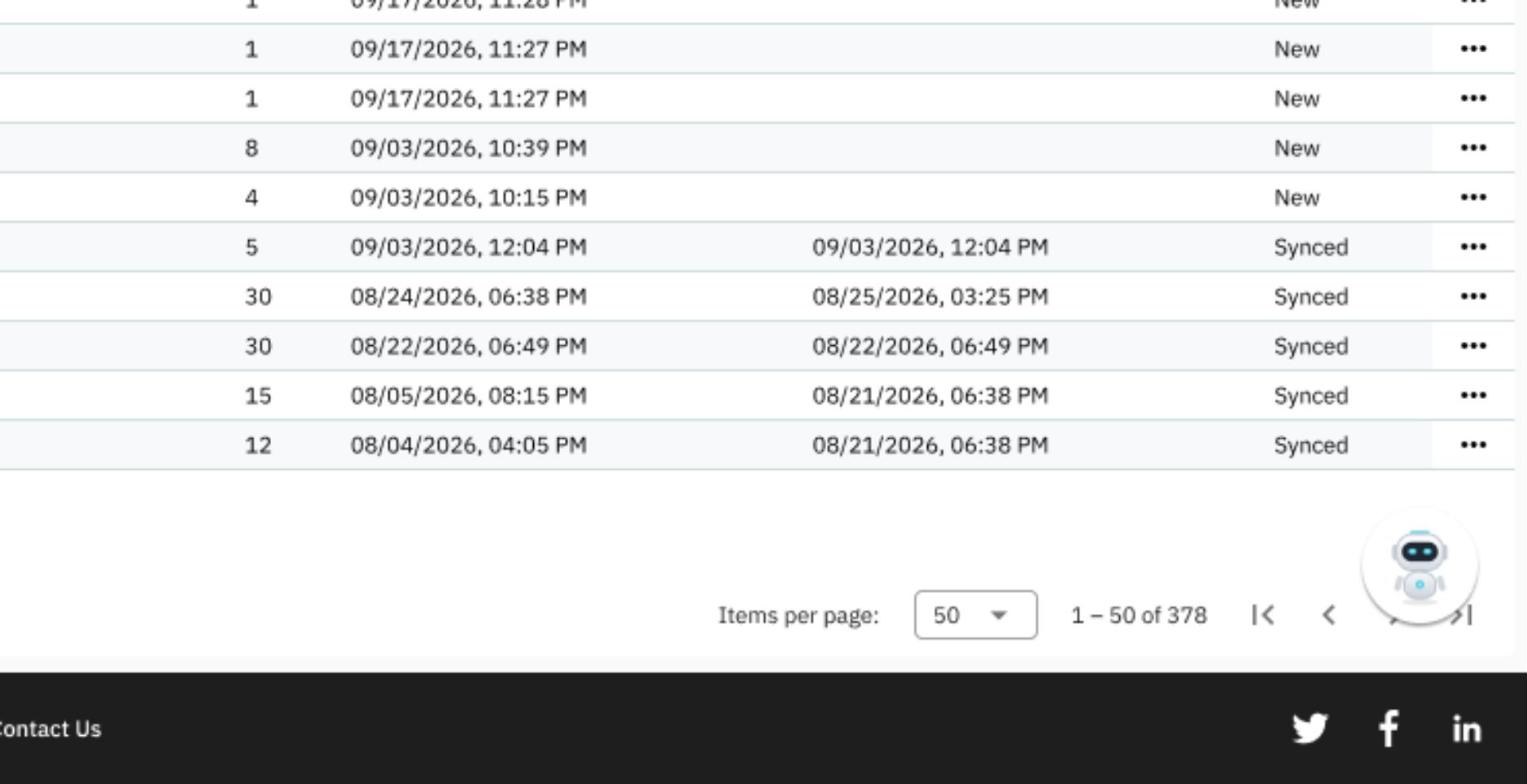
One library engineering builds from
The point isn't the size of the library. It's that engineering builds from it: every pattern lives in the library before it lives on a screen, and tokens are Figma variables, so a colour or spacing change happens once.
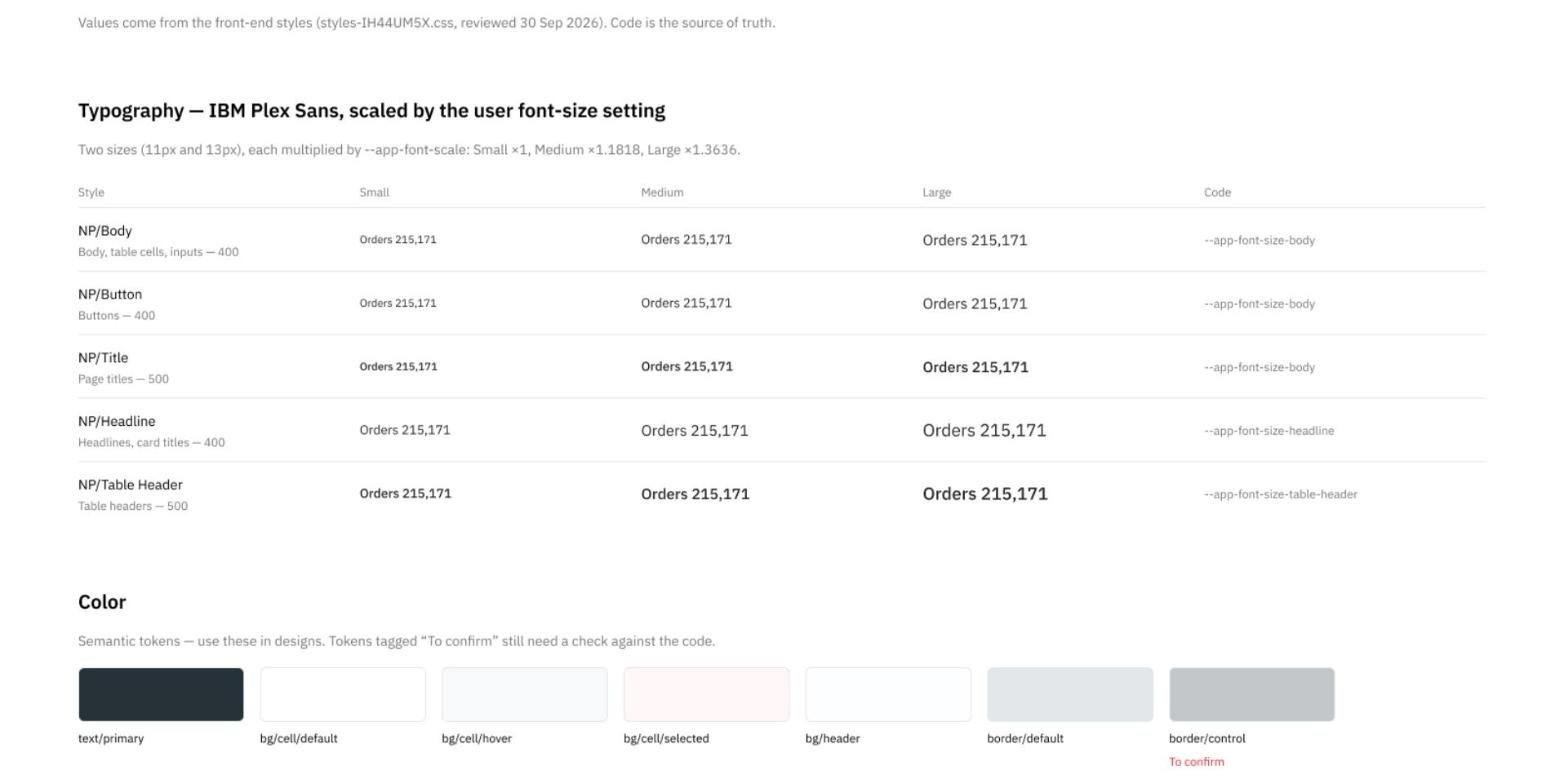
Design, build and reality in one place
The biggest risk in a long-running ERP isn't a bad screen. It's three versions of the truth: the design file, the build, and what people actually see. I mapped the live product and rebuilt every screen from library components into a Live Reference: 160+ screens across 21 pages, each annotated for developers.
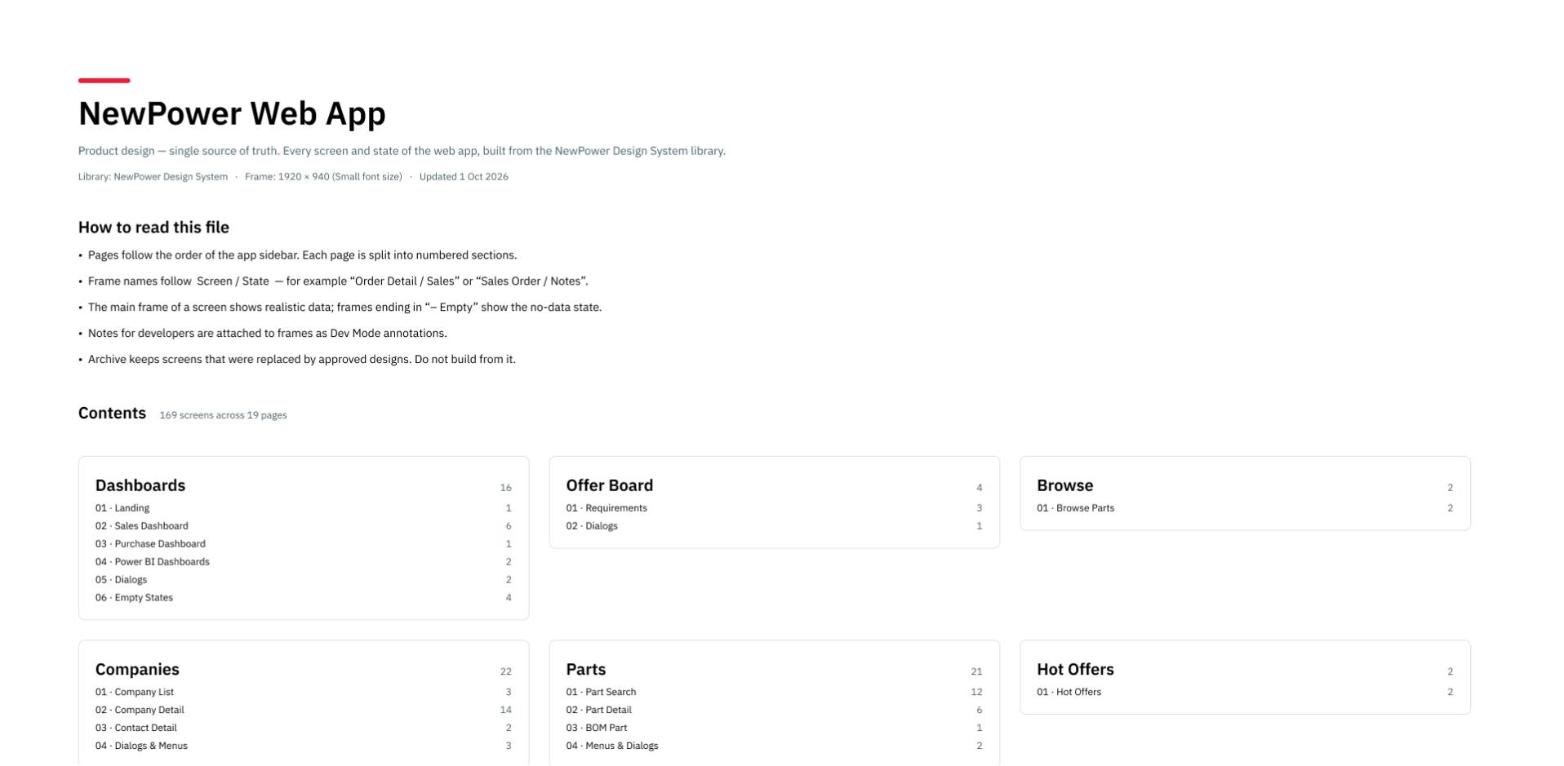
Design QA compares the build with the design module by module. Each gap becomes a decision card: follow the design or keep the build. So far 21 gaps are documented (11 in Orders, 10 in Companies), and 17 live issues are logged for the developers, from a technical error toast to a 404 page with no way back.
What we chose, and what we didn't
These decisions came out of discussions with product and engineering, not from the design file alone. Where the team pushed back, the pushback changed the design, and every decision card keeps the reason.
Compact table rows, with a way out
LiveSales teams work through long order lists. I moved order lists from 35 px to 24 px rows, which fits about 46% more rows on one screen (measured in the design files). The risk is readability, so text size stays a user setting with three modes.
Status reads as a word, not a row colour
Proposed in UX auditSome lists tint whole rows by status. That fails for colour-blind users and on printed orders, and it fights with selection and hover states.
Destructive actions sit below a divider
Proposed in UX auditLine menus mixed "Duplicate" and "Cancel" in one list. In an ERP, one mis-click can cancel a line worth thousands, so the proposal also confirms with the impact ("Cancels 1 line · $10,000").
Real error pages
ApprovedThe live 404 was a full red screen with no way back. New 403 and 404 pages, approved for build, explain what happened and give a way back.
A side navigation for Settings
Rejected by the teamI proposed moving the Control Panel's settings into a side navigation. It looked cleaner, but it took too much width from print-form screens that need every column, so the team rejected it before development. The card records why.
Where the build differs from the design
Decided case by caseDesign QA compares the build with the design module by module. For every gap we talk it through with engineering and decide: follow the design, or keep the build because it is better for users or cheaper to maintain. Nothing is left as "it looks wrong".
Small decisions that make it easier to use
A few of the decisions behind the screens above, and how the same product works on a phone.
Dashboard tiles you can read at a glance
The number is the hero, with a short label and the context underneath. Colour only for status, and the whole tile opens its panel.
Full labels in the navigation
"Dashboards", "Offer Board" and "Commissions" written in full in a slim 72 px rail, so the content keeps its width.
A Korombo conversation you can follow
On a wide screen a full-width chat puts the question and the answer far apart. A centred 880 px column keeps them in one reading line, with a small Chat · History · Saved · Favorites switch.
One place for page actions
In the print template designer, Save sits in the page header next to Import and Export, and no marketing footer takes space inside the app.
Order tables in priority order
Instead of 16 columns at the same width, Number, Company and Status come first, widths follow the content, and four low-use columns move into Customize columns.
Responsive by design
On mobile the rail becomes a bottom tab bar, tiles go two by two, tables become cards with the fields a rep needs on the move, and Korombo's composer stays pinned.
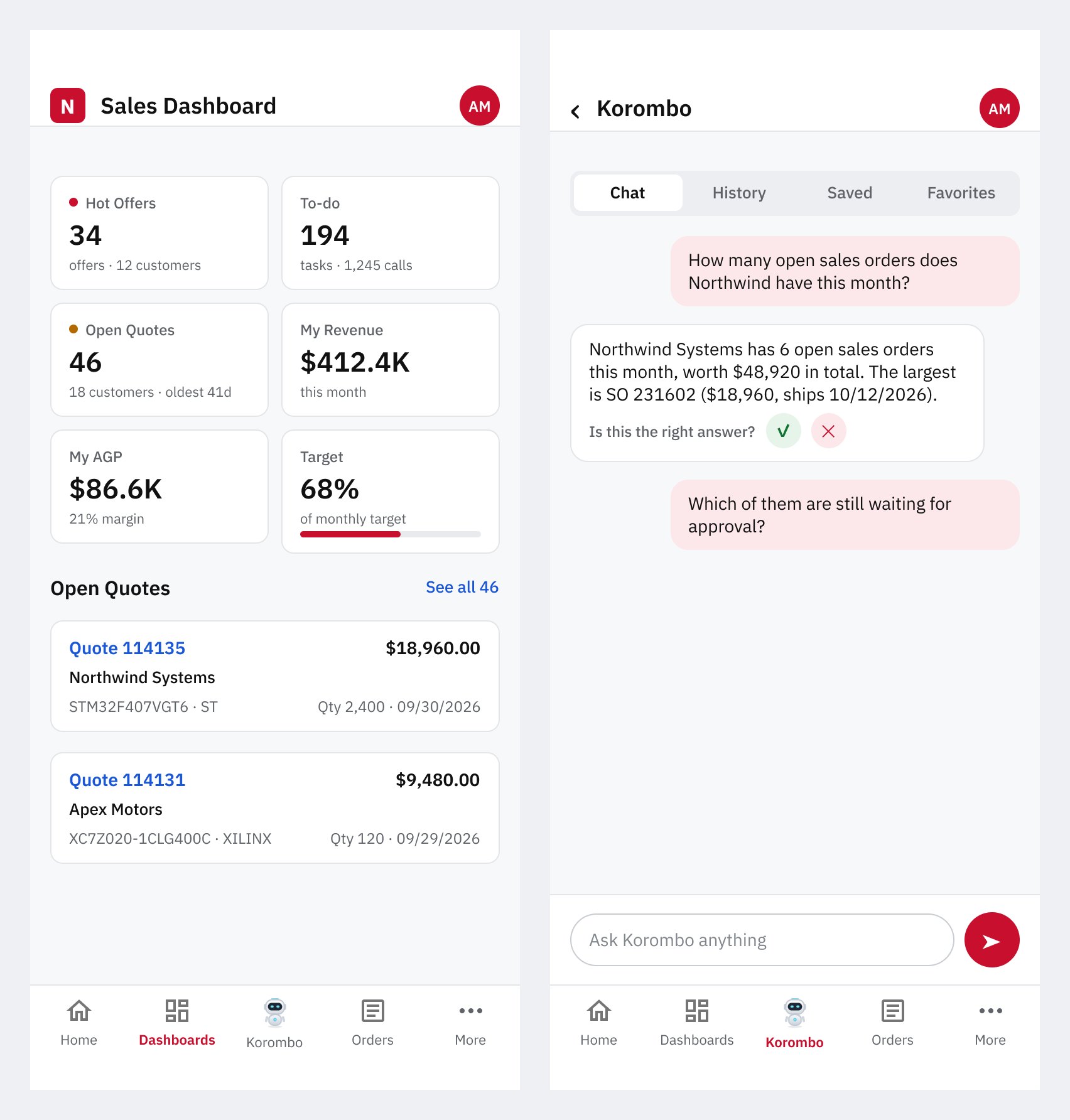
Where it stands, and what is being measured
- ~250 daily users across five departments.
- Korombo is live as its own page, with answer ratings collected inside the product. The floating launcher is proposed for the next stage.
- One source of truth: a Live Reference of all 160+ live screens, built from the design system, so new screens start consistent.
- A shared backlog: a P0 to P2 UX audit, 21 documented design-vs-build gaps and 17 logged live issues.
Impact: exact measurements are in progress
I'm not quoting impact numbers yet, because I'd rather publish measured results than estimates. The old system is gone, so we are setting the baseline now and measuring against it. These are the measurements being set up:
Time on task
A benchmark usability test that times the same tasks through the screens and through Korombo.
Ease of use
A SUS score from current users, as the baseline for the next round of changes.
Korombo answer quality
Every answer is rated "right" or "wrong" inside the product, so the team sees where it fails.
Design and build alignment
21 documented gaps and 17 logged live issues, each with a decision and a status.
What I'd do differently
I'd set up measurement on day one. The old system is gone, so a clean before-and-after isn't possible anymore. That's why the next step is baseline numbers now, before the next round of changes.
I'd also build the Live Reference earlier. Having every live screen in one file changed the conversation with engineering from "it looks wrong" to "this gap, this decision".